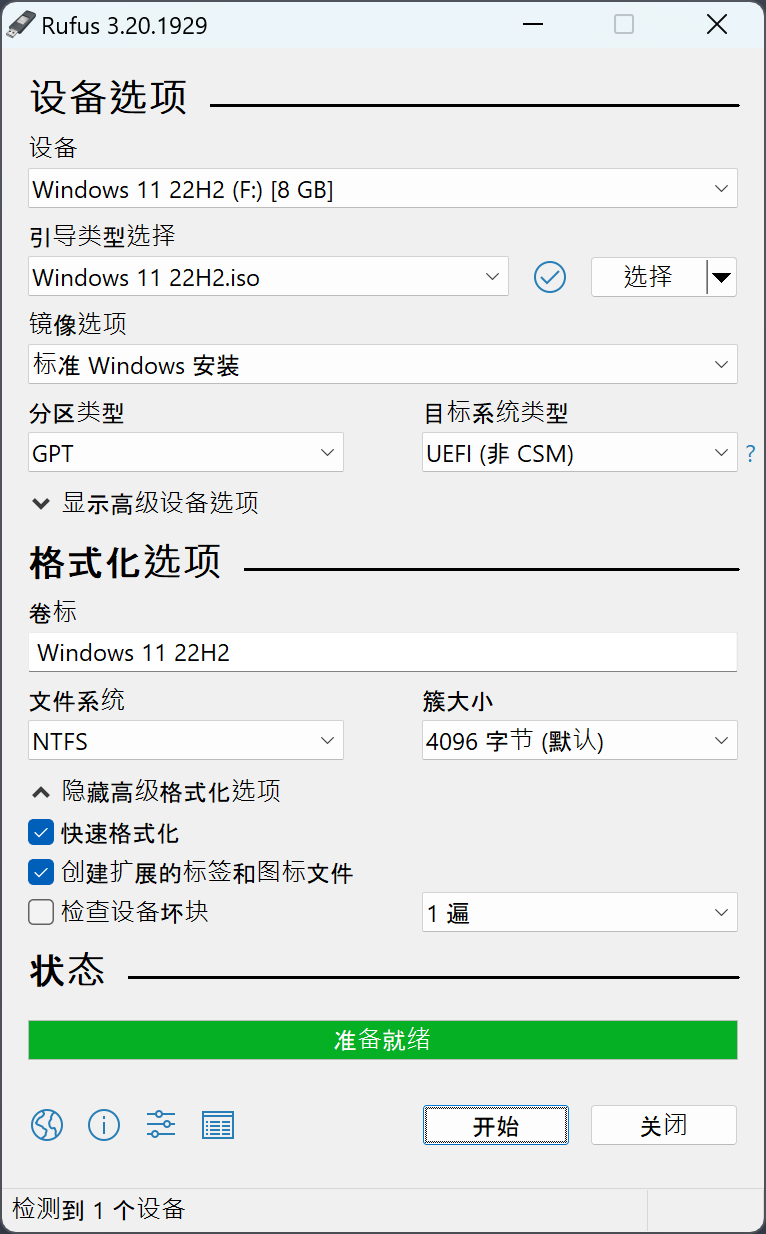
Rufus:轻松创建 USB 启动盘 支持多种系统 做系统神器
Rufus资源介绍与下载
Rufus资源已整理完毕,下文提供完整下载地址与内容介绍。
Rufus 是一款实用工具,能轻松创建 USB 启动盘,适配多种系统需求。支持 AlmaLinux、Arch Linux、CentOS、Debian、Fedora 等主流 Linux 发行版,也兼容 Windows XP(SP2+)、Vista、7、8/8.1、10、11 及 Server 2019 等 Windows 系统。
此外还支持 FreeDOS、Clonezilla、Kali Linux 等工具镜像,操作简单便捷,无论是安装操作系统、系统急救还是特殊场景使用,都能高效完成启动盘制作,满足多样化需求。
支持系统列表: AlmaLinux , Arch Linux , Archboot , CentOS , Clonezilla , Damn Small Linux , Debian , Elementary OS ,
Fedora , FreeDOS , Garuda Linux , Gentoo , GParted , Hiren’s Boot CD , Kali Linux , Knoppix , KolibriOS ,
Linux Mint , Manjaro Linux , NT Password Registry Editor , OpenSUSE , Raspberry Pi OS , Raspbian ,
ReactOS , Red Hat , rEFInd , Rocky Linux , Slackware , Super Grub2 Disk , Tails , Trinity Rescue Kit ,
TrueNAS CORE , Ubuntu , UEFI Shell , Ultimate Boot CD , Windows XP (SP2+) , Windows Vista ,
Windows 7 , Windows 8/8.1 , Windows 10 , Windows Server 2019 , Windows 11 ,
Rufus windows版
下载地址:https://pan.quark.cn/s/800ed43bd640
📖 下载小贴士(建议按这个顺序操作)
- 手机用户:点击链接 → 选「夸克APP打开」(没装的会提示下载,注册登录即用)→ 点【保存到网盘】转存后使用,加载更流畅不卡顿;
- 电脑用户:点击链接登录网页版 → 点【保存到网盘】;日常使用建议转存后在夸克APP打开,跨设备自动同步;
- 资源转存到自己网盘后长期有效,不怕链接失效,强烈建议第一时间转存;
- 夸克新用户注册即享免费空间和体验权益,转存、在线预览速度都更快。
备用链接:https://pan.xunlei.com/s/VOXlO9lI1qTHpFHPnLkuJuzRA1?pwd=6viq#


发表评论